

Last Updated on September 28, 2026 by Elegance
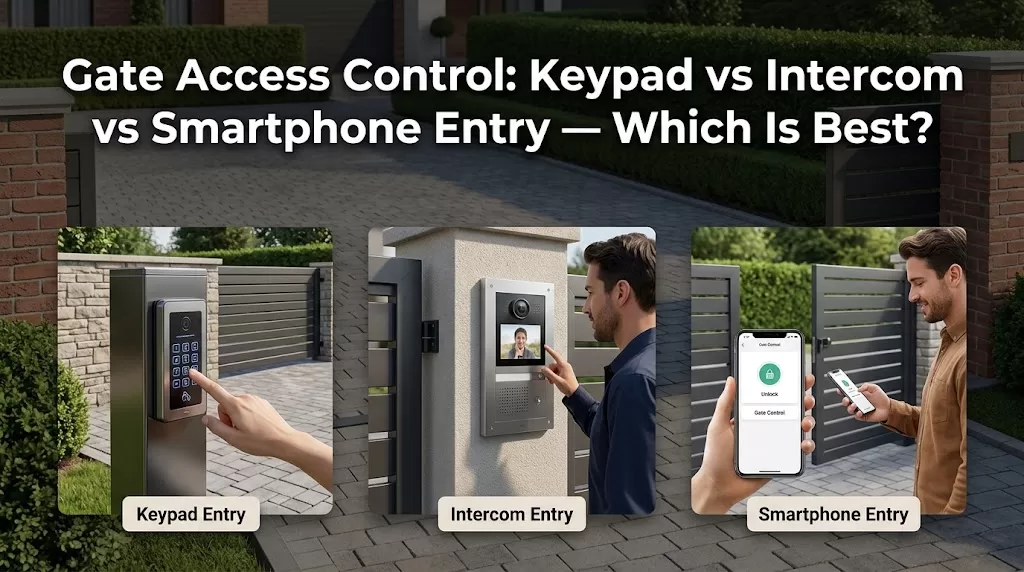
Choosing gate access control starts with a practical question: who needs to enter, and how should they be authorised? A keypad suits people who already have a code, an intercom lets visitors request entry, and smartphone access can support remote management. Many homes benefit from combining methods rather than relying on one. For the gate itself, see Custom Wrought Iron Driveway Gates Melbourne.
The important differences are visitor verification, credential management, connectivity and what remains available if the primary method fails.
Keypad vs Intercom vs Smartphone Gate Access Control
| Factor | Keypad | Audio / video intercom | Smartphone / app |
|---|---|---|---|
| Regular users | PIN-based access | Not its main purpose | Convenient where supported |
| Visitor verification | Limited alone | Core function | Depends on integration |
| Remote access | Usually not the core function | Possible on compatible systems | Core advantage |
| Temporary access | Depends on credential features | Resident can authorise visitors | Product-dependent |
| Connectivity | System-dependent | Wired, Wi-Fi or mobile options | Depends on system architecture |
| Backup dependency | Needs a separate fallback plan | Depends on infrastructure | Phone/network dependency matters |
| Best starting question | Who needs repeat access? | Do I need to verify visitors? | Do I need remote management? |
None is automatically more secure. Controlled entry depends on the physical gate, credentials, configuration and wider automation system. For a security-focused gate option, see Custom Wrought Iron Security Gates Melbourne.

First Decide Who Needs to Use the Gate
Different users create different access requirements:
- Residents: frequent, convenient entry.
- Regular authorised users: cleaners, family members or others who may need a manageable credential.
- Visitors and deliveries: people who may need to identify themselves before entry.
- Temporary trades or service providers: access that may need to be withdrawn later.
This distinction separates authentication from visitor authorisation. A PIN, remote or RFID tag can act as a credential for someone already authorised. An intercom primarily gives a visitor a way to identify themselves and request entry. For broader gate-selection considerations, see Buying the right wrought iron gate.
Verified External Source
“Credentials on PIV cards are commonly used to identify and authenticate individuals accessing government facilities.”
This sentence appears in the “Physical Access” section of NIST’s guidance on derived PIV credentials for physical access control systems. The surrounding text explains how credentials are used for identification and authentication before physical access is granted. The NIST material is written for U.S. government facility access rather than residential driveway gates, so it is not being presented here as a consumer-gate requirement. Its relevance is the underlying access-control principle: credentials identify or authenticate authorised users, while a residential intercom separately helps a visitor request authorisation from the resident.
Source: National Institute of Standards and Technology (NIST), Physical Access, SP 800-157 Rev. 1. View live source
Access control is one layer of the overall entrance. When planning custom wrought iron driveway gates, the gate, automation and proposed access methods need to work together.
Gate Keypad Entry for Repeat Users
Where Code Access Works Well
Gate keypad entry can suit household members or other regular users who need access without carrying a remote.
Before choosing a keypad, establish whether the proposed system uses one shared PIN or supports individually manageable credentials. Capabilities vary, and multiple or temporary codes should not be assumed.
Plan How Codes Will Be Managed
Consider what happens when a cleaner, contractor, tenant or other user no longer needs access.
The useful feature is not simply having a code. It is being able to manage access appropriately for the people who use the property.
Gate Intercoms for Visitor Screening
Audio vs Video Intercom
An automatic gate intercom lets someone without an existing credential contact the resident. Audio provides communication, while a video intercom for an automatic gate can add visual information before access is granted.
Keep this separate from CCTV: the purpose here is managing entry at the gate rather than designing a wider surveillance system.
Indoor Stations, Apps and GSM Options
An intercom does not necessarily require only an indoor handset. Depending on the equipment, calls may use dedicated indoor stations, compatible smartphone functionality or GSM/mobile-network communication.
GSM can be useful where the chosen system communicates over a mobile network, but its suitability depends on coverage and the equipment being specified.
Smartphone Gate Access for Remote Management
What the App Actually Needs to Do
Smartphone gate access can be useful when residents need to operate or manage the entrance remotely. A compatible smart gate opener app may offer functions beyond opening the gate, but features such as user management, temporary credentials, status information or logs vary by product.
Decide which functions you genuinely need before comparing equipment.
Plan for Phone and Connectivity Failure
A smartphone creates dependencies: the device may be flat, unavailable or replaced, while the system may rely on Wi-Fi, internet access or a mobile network.
A second access method is most useful as backup when it does not simply fail for the same reason as the primary method.
Remotes, RFID Tags and Vehicle Detection
Remote controls remain practical credentials for regular vehicle users. RFID cards or tags can provide individually issued credentials where supported.
Vehicle-detection systems perform particular automation functions depending on system design; they should not automatically be treated as access credentials.
These methods can complement the main options rather than competing with them.
Wired, Wi-Fi or Mobile Network?
Check the Infrastructure at the Gate
Before selecting the communication method, check:
- distance between the house and gate
- existing cabling or conduit
- power at the entrance
- Wi-Fi coverage at the gate
- mobile coverage where relevant
- whether an indoor station is required.
These conditions can narrow the realistic choices before individual features are compared.
Do Not Assume House Coverage Reaches the Entrance
A reliable Wi-Fi connection inside the home does not establish that coverage will be adequate at the gate.
This is particularly worth checking on larger Melbourne properties and long driveways. Site conditions should be assessed rather than designing the system around assumed network coverage.
Visitor, Delivery and Trades Access
Visitors
Visitors generally need a way to identify themselves and request entry. This is where an audio or video intercom differs fundamentally from a keypad credential.
Deliveries
Decide whether delivery drivers should enter the controlled area at all. Depending on the property, the preferred arrangement might be intercom contact, controlled entry or a delivery point outside the gate.
Trades and Regular Service Providers
Cleaners, gardeners and trades may need access without receiving the same credential as household members.
Temporary or individual credentials can simplify this where the selected system supports them, particularly because access can later be withdrawn without changing how every resident enters.
Backup Access and System Dependencies
Connectivity Failure
Internet failure and mobile-network failure are not necessarily the same event. A Wi-Fi/internet-dependent system and a GSM-based system can have different dependencies.
Identify what communication path each access method uses and what remains functional if that path becomes unavailable.
Power, Device and Shared-System Failure
Two visible access methods do not necessarily provide two independent backups.
For example, an app and intercom may both depend on the same controller, network connection or power supply. If redundancy matters, establish whether the proposed fallback actually avoids the primary system’s likely points of failure.
Power supply and backup arrangements belong to the wider automation design. Where the power source itself is still being considered, see solar vs mains-powered automatic gates.

Privacy and Credential Management
Before choosing a system, ask:
- How are users added and removed?
- Can credentials be individually revoked?
- How are lost remotes or tags handled?
- Can temporary access be withdrawn easily?
- Who controls administrator access?
- Does the system record access information, and if so, what information?
- What happens when a household member or contractor no longer needs entry?
These questions are often more useful than comparing feature counts.
Access Control, Gate Motors and Safety Systems
An access command authorises a requested gate action. It does not replace the devices and functions used to manage risks associated with a moving automatic gate.
The motor/controller, access-control equipment and safety system therefore need compatible system design and installation. A keypad, intercom or app should not be assumed to integrate with every gate controller. For background on the gate material itself, see What Is the Difference Between Wrought Iron and Steel?.
The separate automatic gate safety guide covers the safety side of the system in more detail. Likewise, physical gate locking and release mechanisms are a separate specification from deciding who is authorised to request access.
What Affects Access-Control Cost?
Cost can change with the access methods selected, audio or video requirements, gate-to-house distance, cabling and electrical work, connectivity, integration with existing automation and credential-management requirements.
Detailed pricing belongs to the existing Gate Automation Cost Melbourne guide rather than this access-method comparison.
Which Setup Suits Your Property?
| Site or user need | Configuration to assess | Main reason |
|---|---|---|
| Regular household vehicle access | Remotes + suitable backup | Simple resident access |
| Code access without carrying a remote | Keypad + separate fallback | Convenient repeat-user entry |
| Frequent visitors | Audio/video intercom + resident credential | Visitor authorisation |
| Trades or cleaners | Individually manageable credentials | Easier access withdrawal |
| Frequent remote gate release | Smartphone/mobile system + fallback | Remote management |
| Poor mobile coverage but visitor screening required | Assess wired intercom/cabling | Avoid mobile dependency |
| Mixed residents, visitors and temporary users | Combination system | Different users have different needs |
The most flexible setup is not automatically the one with the most technology. It is the one that gives each genuine user an appropriate access method while keeping dependencies manageable.
Questions to Answer Before a Site Assessment
Before discussing gate access control in Melbourne, establish:
- Who needs regular access?
- Who needs access that can later be individually revoked?
- How are visitors and deliveries handled?
- Do you need to see or speak with visitors?
- What access method is already installed?
- How far is the gate from the house?
- Is suitable power, cabling or conduit available?
- What are Wi-Fi and mobile coverage like at the entrance?
- Do temporary users need managed credentials?
- What should remain available if the primary method fails?
Frequently Asked Questions
Is a Gate Keypad or Intercom Better?
Neither is universally better. A keypad suits someone who already has an authorised credential, while an intercom lets a visitor identify themselves and request access. Some properties benefit from both.
Can I Open My Automatic Gate From My Phone?
Compatible automatic gate systems can support phone-based operation, sometimes with additional hardware or integration. Confirm compatibility with the actual gate controller and access equipment.
Do Gate Intercoms Work With Smartphones?
Some do. Depending on the system, an intercom may use an indoor station, compatible smartphone functionality, GSM/mobile communication or a combination.
What Happens if My Internet Goes Down?
It depends on the system architecture. Loss of home internet may affect Wi-Fi/internet-based functions differently from a system using mobile-network communication. Check what each access method depends on and what remains operational.
Can I Give Temporary Gate Access to Trades or Deliveries?
Some systems support individual, temporary or time-restricted credentials. Confirm those functions before purchase rather than assuming they are standard.
Should I Keep a Remote or Keypad as Backup?
A second method can be useful, but only provides meaningful redundancy if it does not simply fail because of the same network, controller, power or device problem.
Can Access Control Be Added to an Existing Automatic Gate?
Often, but compatibility needs to be assessed. The existing motor/control board, available access-control interfaces, power, cabling, gate hardware and safety system can all affect integration.
Choose Access Methods Around How the Property Is Used
Good gate access control starts with users, not gadgets. Decide who already has permission to enter, who needs to request entry, whether access must be managed remotely and what should happen when the primary method is unavailable.
Elegance in Iron can assess the entrance, existing or proposed automation and site infrastructure as part of planning a Melbourne driveway-gate project. The site assessment can then determine which keypad, intercom, smartphone or combined approach is compatible with the property and gate system.


